
How to get ip and mac address
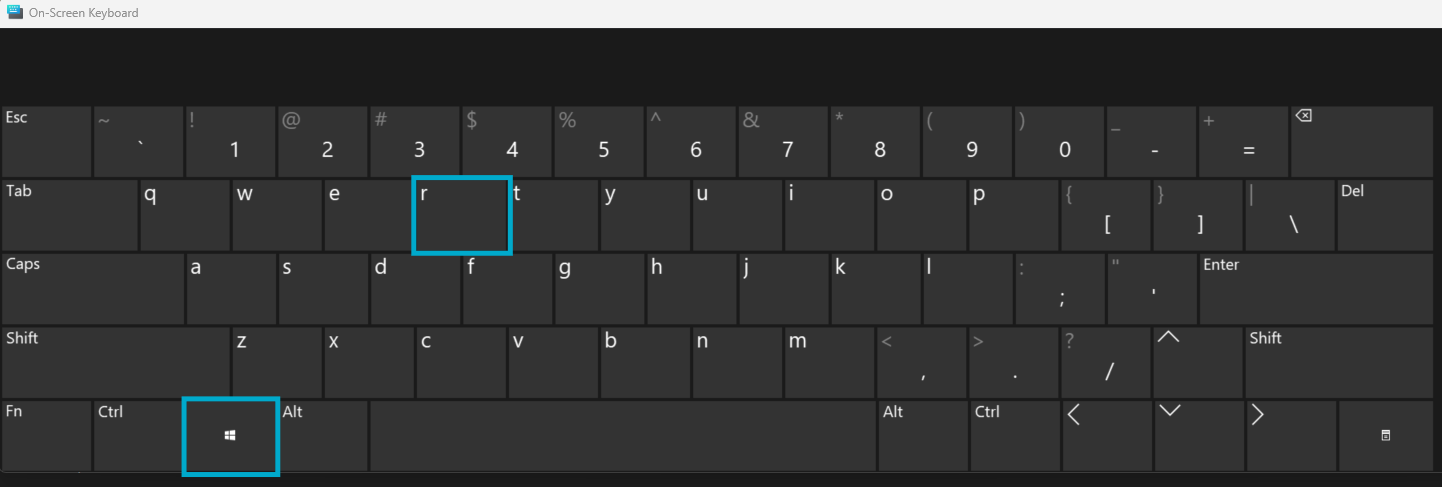
1. Apasam "Win + R"
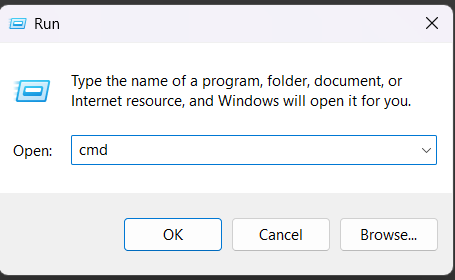
2. Scriem "cmd" si apasam "Enter"
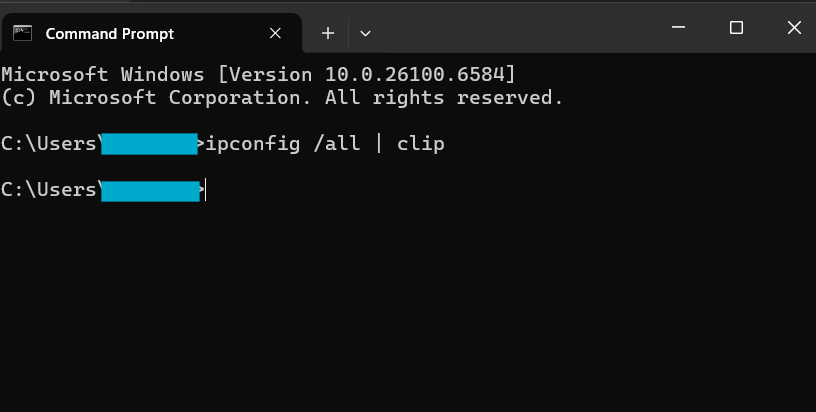
3. In terminat scriem "ipconfig /all | clip" si apasam "Enter"
Imaginea de final ar arata cam asa
Cand mergeti si apasati "Ctrl + V" rezultatul ar trebui sa arate asemanator cu ce este mai jos.
Ethernet adapter vEthernet (Default Switch):

Ethernet adapter Ethernet:

   Connection-specific DNS Suffix  . : localdomain
   Description . . . . . . . . . . . : Realtek PCIe GbE Family Controller
   Physical Address. . . . . . . . . : C4-C6-E6-00-00-00
   DHCP Enabled. . . . . . . . . . . : Yes
   Autoconfiguration Enabled . . . . : Yes
   IPv4 Address. . . . . . . . . . . : 192.168.10.142(Preferred)
   Subnet Mask . . . . . . . . . . . : 255.255.255.0
   Lease Obtained. . . . . . . . . . : Someday, October 8, 2021 11:44:15 AM
   Lease Expires . . . . . . . . . . : Someday, October 8, 2021 12:54:15 PM
   Default Gateway . . . . . . . . . : 192.168.10.1
   DHCP Server . . . . . . . . . . . : 192.168.10.1
   DNS Servers . . . . . . . . . . . : 192.168.10.1
   NetBIOS over Tcpip. . . . . . . . : Enabled

Wireless LAN adapter Wi-Fi:

   Media State . . . . . . . . . . . : Media disconnected
   Connection-specific DNS Suffix  . :
   Description . . . . . . . . . . . : RZ616 Wi-Fi 6E 160MHz
   Physical Address. . . . . . . . . : 2C-98-11-00-00-00
   DHCP Enabled. . . . . . . . . . . : Yes
   Autoconfiguration Enabled . . . . : Yes

Ethernet adapter Bluetooth Network Connection:

   Media State . . . . . . . . . . . : Media disconnected
   Connection-specific DNS Suffix  . :
   Description . . . . . . . . . . . : Bluetooth Device (Personal Area Network)
   Physical Address. . . . . . . . . : 2C-98-11-00-00-00
   DHCP Enabled. . . . . . . . . . . : Yes
   Autoconfiguration Enabled . . . . : Yes